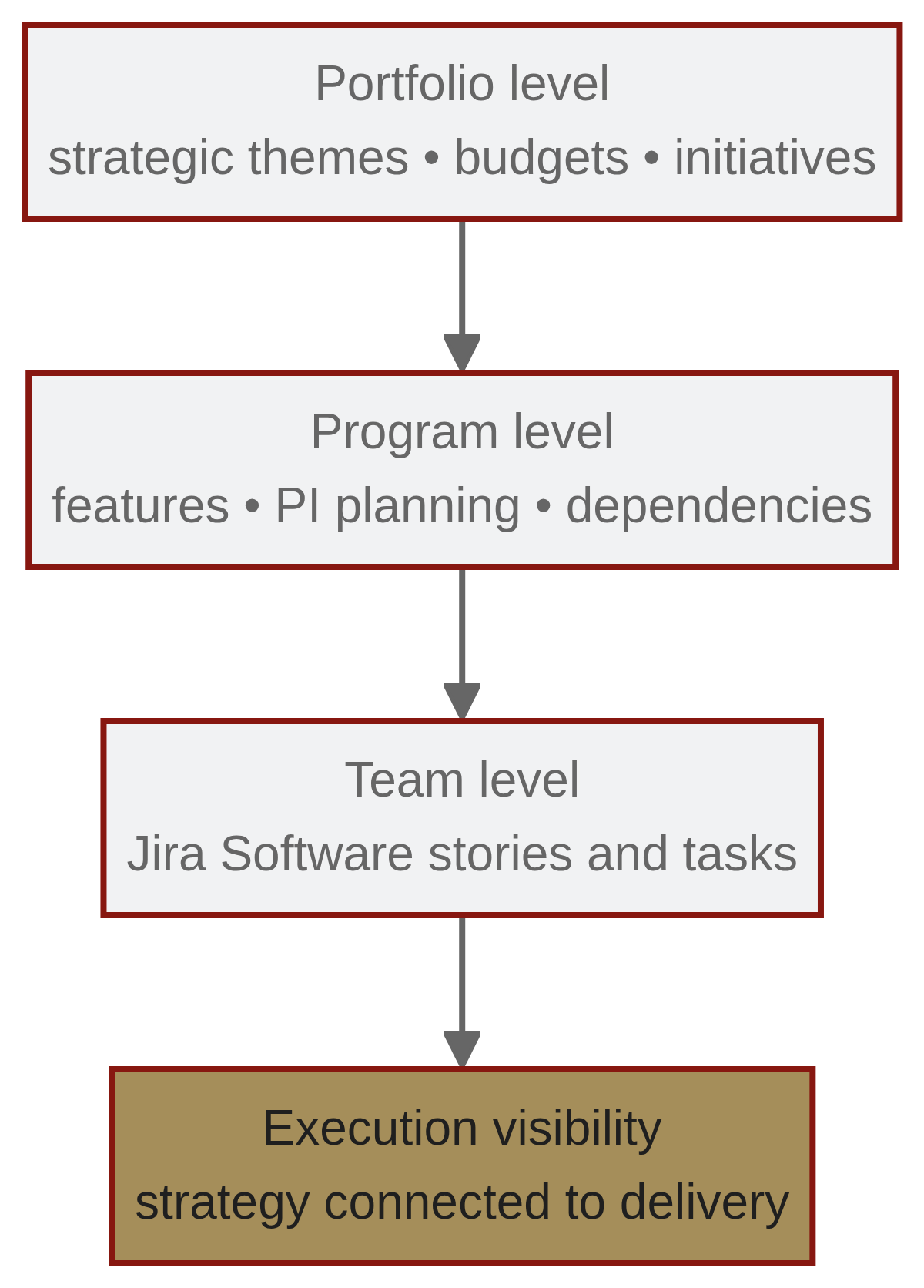
How Jira Align connects portfolio, program, and team levels
When organizations grow beyond dozens of teams, a single Jira Software instance can be insufficient for executive visibility and enterprise coordination. Jira Align creates a hierarchy that maps strategic intent to day-to-day work:
- Team level: Developers continue to use Jira Software to execute Stories and Tasks.
- Program level: Teams of teams (for example, Agile Release Trains) manage Features and coordinate PI (Program Increment) planning.
- Portfolio level: Executives define Strategic Themes, allocate budgets, and manage large Epics/Initiatives.
Jira Align aggregates data from Jira Software in real time, enabling executives to see how daily work contributes to annual strategic goals.
SAFe (Scaled Agile Framework) support
Jira Align natively supports the Scaled Agile Framework (SAFe). It maps SAFe terminology, ceremonies, and artifacts and includes features commonly used in SAFe implementations:
- Program Board: Visual mapping of cross-team dependencies during PI planning to identify bottlenecks early.
- PI Planning tools: Support for planning Program Increments across teams.
- Lean Portfolio Management (LPM): Built-in capabilities for portfolio-level prioritization and budgeting.
These features are presented as part of Jira Align's core support for SAFe structures and related processes.
Jira Align vs. Advanced Roadmaps
A frequent decision point is when to use Jira Software's Advanced Roadmaps (Plans) versus Jira Align:
- Advanced Roadmaps:
- Best for organizations with roughly 5–15 teams seeking cross-project visibility and basic capacity planning.
- Offered as a feature within Jira Premium.
- Jira Align:
- Intended for large enterprises (the source cites examples such as 1,000+ developers) that require strict framework support (e.g., SAFe), financial budgeting tied to agile delivery, and complex dependency management across multiple portfolios.
- A separate, standalone product that synchronizes with Jira Software (and can aggregate multiple Jira instances).
Choose based on scale, governance needs, and the complexity of cross-team coordination required.
Common implementation pitfalls
Common pitfalls observed in Jira Align implementations include:
- Lack of executive sponsorship, which undermines adoption and strategic alignment.
- Incorrect or incomplete configuration leading to insufficient visibility and duplicated efforts.
- Ineffective dependency management across diverse teams, causing delays.
- Assuming Jira Align functions exactly like Jira Software, or attempting a “big bang” rollout without adequate change management.
Addressing these areas—especially sponsorship and change management—reduces the risk of failure.
Acronyms (defined)
- SAFe — Scaled Agile Framework
- PI — Program Increment
- LPM — Lean Portfolio Management
- RTE — Release Train Engineer