Lupus Consulting

Confluence: Team Knowledge Base and Wiki

Atlassian Confluence is a collaborative workspace and dynamic wiki that helps teams create, organize, and share knowledge. It supports real-time co-editing, structured documentation, and project collaboration, and offers data residency options (including EU hosting) to address GDPR (General Data Protection Regulation) and local data-protection requirements—features often cited as relevant for IT managers and CTOs in the DACH (Germany, Austria, Switzerland) region.

Quick Answer

Confluence is a web-native knowledge base and wiki focused on knowledge creation rather than file storage. It organizes content into Spaces and Pages, provides templates and macros to standardize and enrich pages, and integrates tightly with Jira for live issue and status updates.
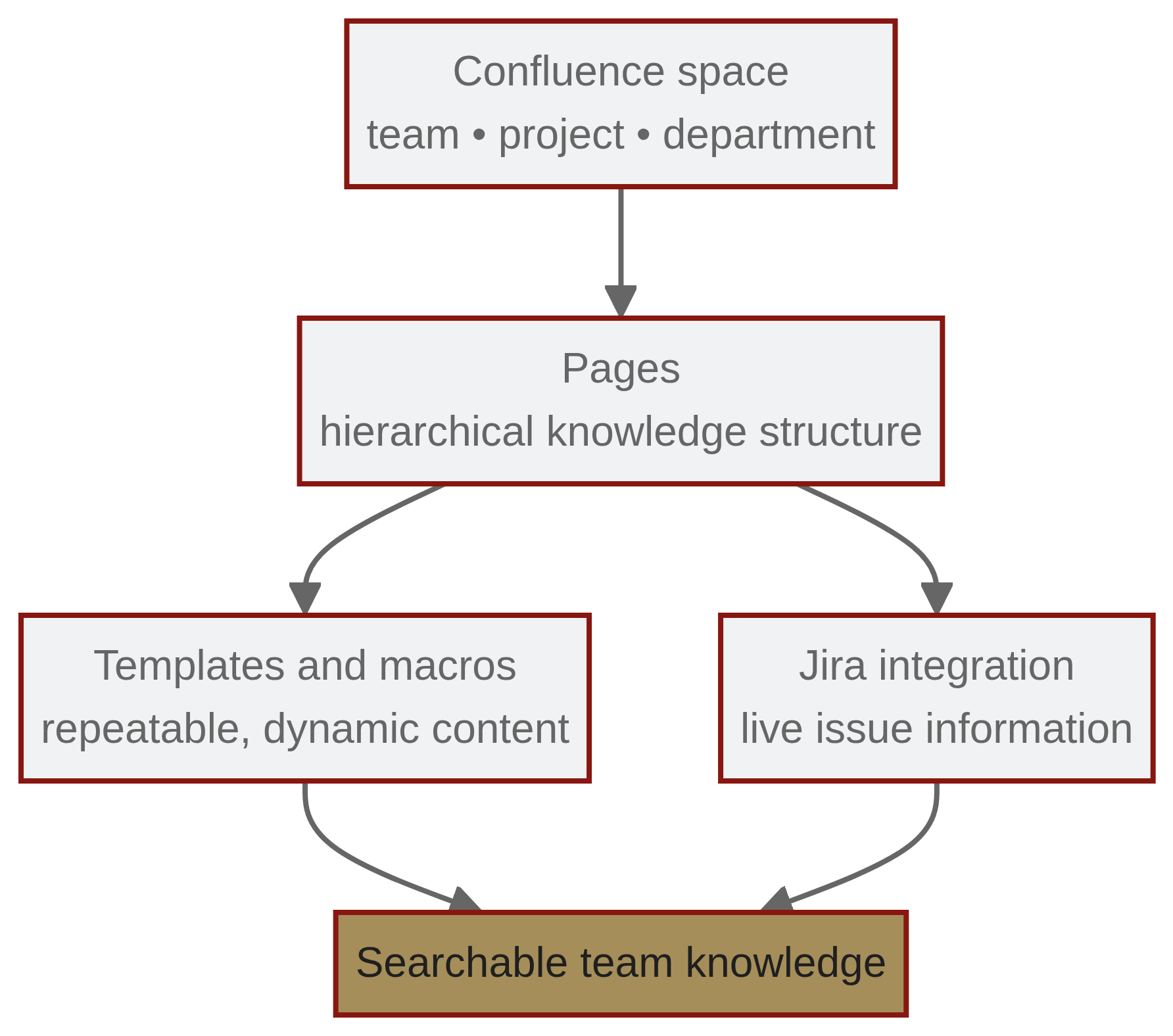
Confluence organizes knowledge in spaces and pages, enriched by templates, macros, and Jira links.

How Confluence organizes knowledge

  • Spaces: The top-level containers for content. Spaces are typically created for teams, departments, or major projects and have their own permissions, blog, and page hierarchy.
  • Pages: Created within a Space; pages can be nested to form a logical tree (for example, an "HR Policies" parent page with child pages for "Vacation Policy" and "Remote Work Policy").

Templates, Macros, and Jira integration

  • Templates: Confluence provides hundreds of best-practice templates (for example, Meeting Notes, Product Requirements, Retrospectives) to help standardize documentation across an organization.
  • Macros: Small, page-level apps that add dynamic functionality (examples: Table of Contents, Status, Expand). Macros let pages display dynamic or richly formatted content without external files.
  • Jira integration: Confluence embeds Jira issues, reports, and charts directly in pages. Embedded Jira content updates automatically when issue status changes in Jira, keeping documentation synchronized with development workflow.

Confluence vs. SharePoint

Confluence is designed for knowledge creation—teams write and collaborate directly on web pages with real-time editing and inline comments. Microsoft SharePoint is stronger at document management and file storage (for example, Word and Excel files). Use Confluence when you want living documentation and hyperlinked knowledge; use SharePoint when the primary need is file repository and document-centric workflows.

Common pitfalls and migration considerations

  • Lack of content governance: Without clear governance, a Confluence instance can become disorganized, with duplicated or hard-to-find information ("wiki wasteland").
  • Insufficient user training: If users treat Confluence like a file dump (for example, storing PDFs instead of creating dynamic pages), the platform’s collaborative value is lost.
  • Migration path: Ignoring the migration path from Server/Data Center to Cloud can create security and maintenance issues—server support has officially ended, so planning migration or an alternative is important.

Concise practical guidance

  • Define space-level owners and a content lifecycle policy to prevent sprawl.
  • Train teams on templates and macros to encourage dynamic pages over static files.
  • Plan migrations early if you operate on Server or Data Center editions; consider infrastructure control requirements (Data Center can be self-managed on-premise or via IaaS—Infrastructure as a Service).

Acronyms and definitions

  • DACH: Germany, Austria, Switzerland.
  • GDPR: General Data Protection Regulation.
  • IaaS: Infrastructure as a Service.
  • Jira: Atlassian’s issue and project-tracking product often integrated with Confluence.

FAQ

faqicon

What is the difference between Confluence Cloud and Data Center?

Confluence Cloud is hosted by Atlassian and receives automatic updates; Data Center is a self-managed option (on-premise or via IaaS) for organizations that require direct control over infrastructure.

faqicon

How does Confluence integrate with Jira?

As part of the Atlassian Suite, Confluence and Jira are built to work together seamlessly:

  • Live issue linking: Embed Jira issues directly into Confluence pages with real-time updates.
  • Automated reporting: Visualize Jira data in Confluence dashboards for better insights.
  • Centralized project documentation: Store requirements, technical specs, and meeting notes in Confluence and link them to Jira tickets.

The combination of Confluence and Jira creates a structured, transparent workflow that enhances team collaboration.

faqicon

What are Confluence macros?

Macros are dynamic elements you add to pages to extend functionality (for example, displaying Jira charts, generating a table of contents, or formatting code snippets).